View PowerBi Billing Reports
To view Billing Reports, we must begin by navigating to epcriv.com.
On epcriv we are first presented with a log in page:
We will need to enter a Company name, username, and password respectively.
Once we are logged in we can navigate to Agency in the left menu:
Note if your organization has multiple agencies you will be presented with a page to select the specific agency you would like to view.
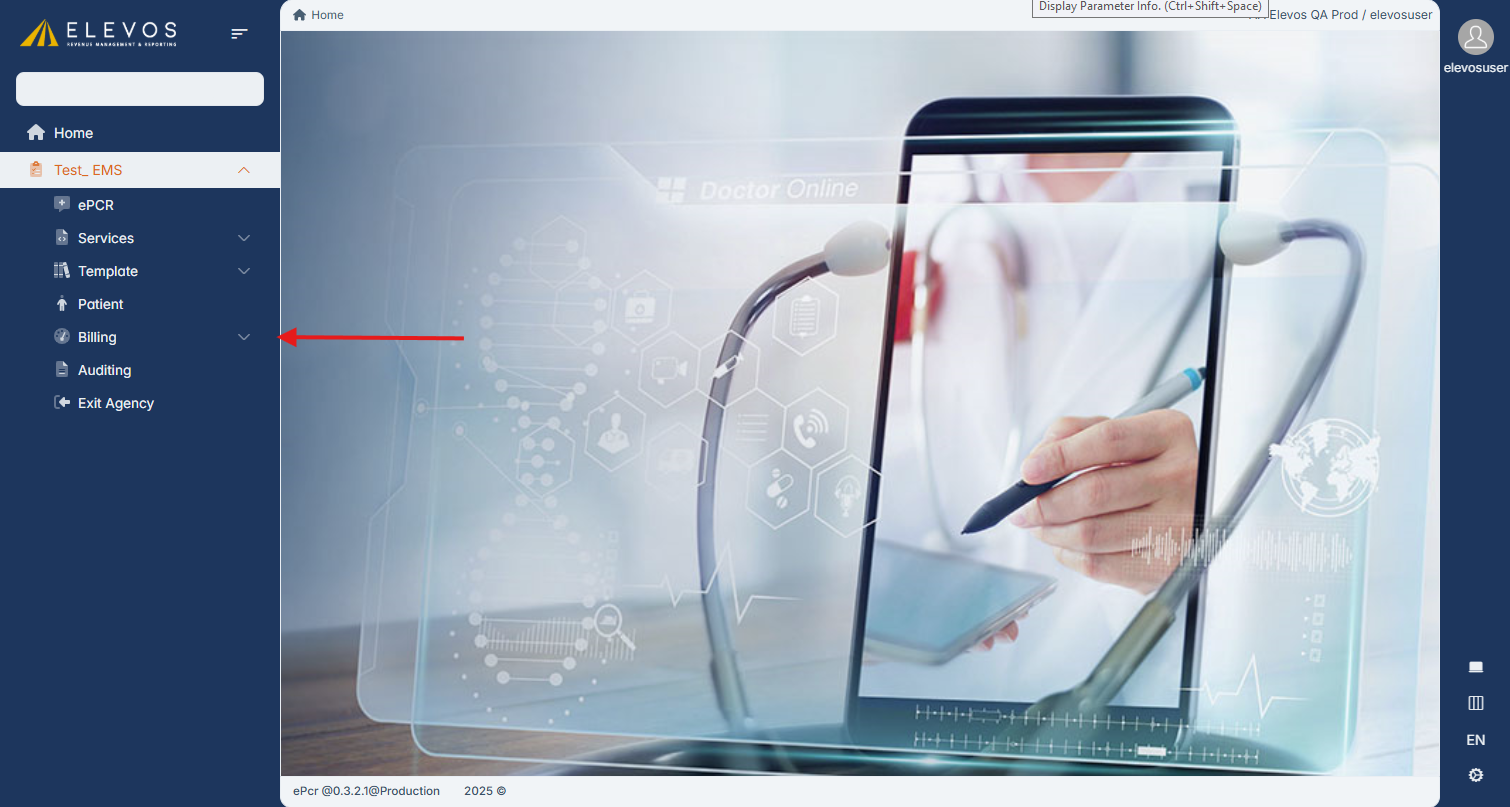
Once in the Agency menu we can navigate to the Billing drop down towards the bottom of the menu.
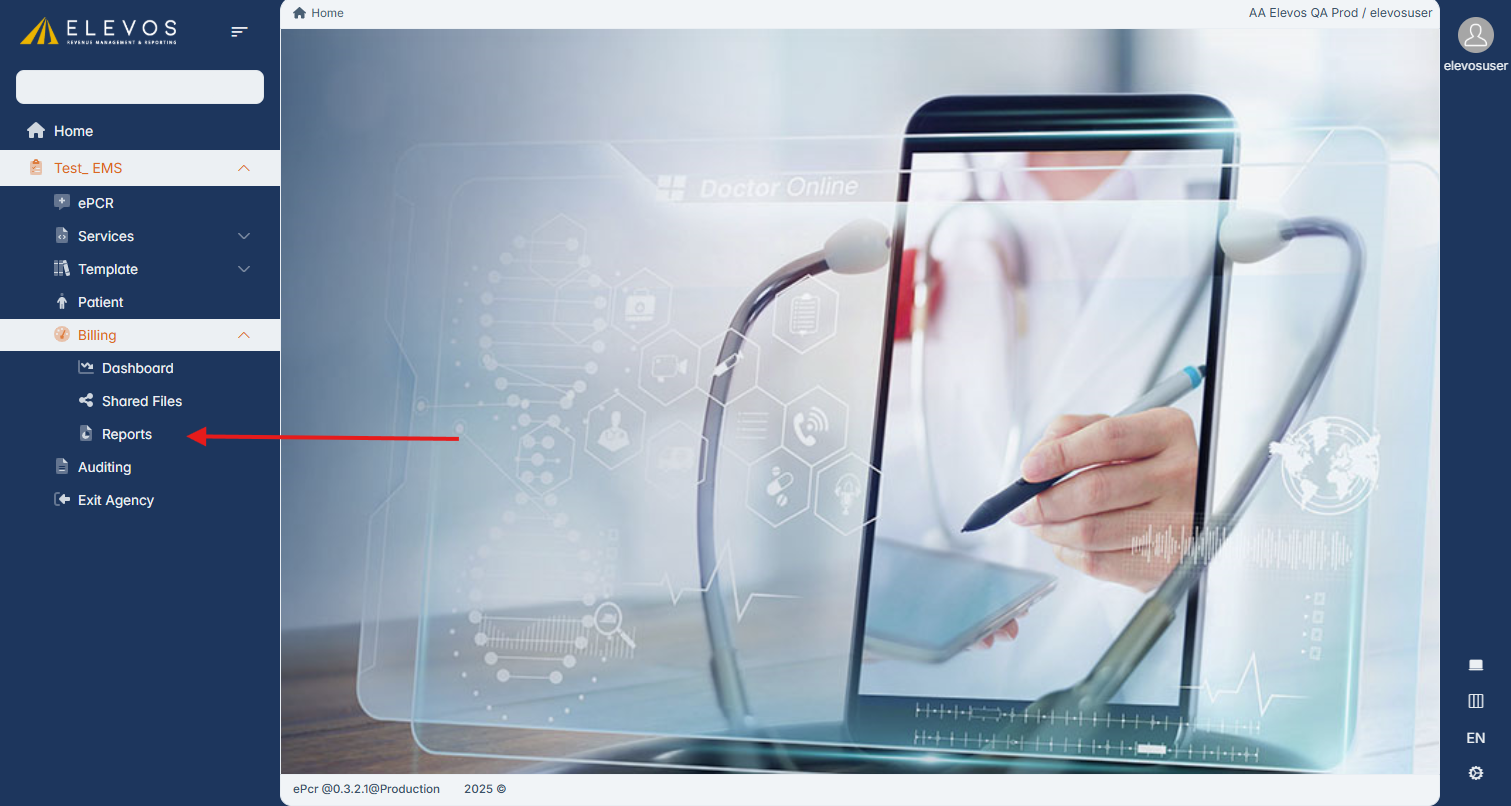
Under the Billing menu we will navigate to the Reports page.
Here we will be presented with a list of the different reports we can view.
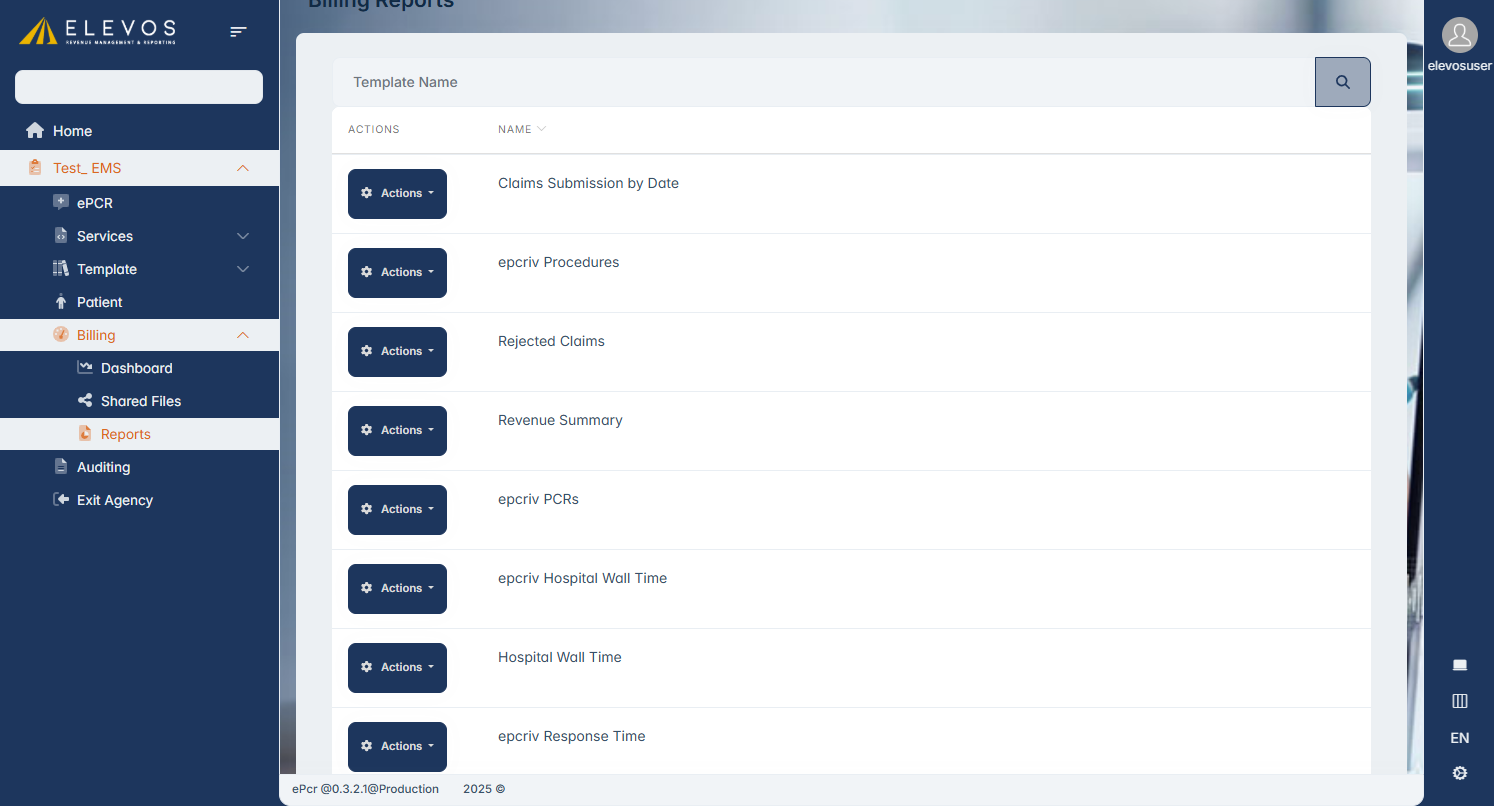
To view a report, we can click the Actions button next to the report that we would like to view and select View.
To view a report, we can click the Actions button next to the report that we would like to view and select View.
The report will be displayed in a new page. We can go back to the list by scrolling down and clicking Cancel at the bottom left of the page.
Related Articles
Billing Reports Feature
The Billing Reports feature allows users to access Billing Reports directly through epcriv instead of having to use ehradmin. The Billing Reports feature is located on epcriv.com under the Billing dropdown in the left menu. When accessing the Reports ...Manually Transmitting PCRs to Billing
To manually send runs to billing you must begin by being logged into ePCRIV. Once logged in navigate to the "Services" tab on the left. Once on the "Services" page click on the "Elevos Billing" tab on the right. Once on the "Elevos Billing" page ...Logging out of Prestige Billing
To log out of Prestige Billing at the top of the window select System. This will display a drop down and at the bottom select Quit. This will log you out of billing.ePCRIV APP Guide
Electron App for Elevos ePCRIV System: A Guide to Creating Patient Care Reports The Electron app for the Elevos ePCRIV system is designed to streamline the creation of patient care reports. Here’s a step-by-step guide to ensure smooth operation: ...ePCRIV APP Guide
Electron App for Elevos ePCRIV System: A Guide to Creating Patient Care Reports The Electron app for the Elevos ePCRIV system is designed to streamline the creation of patient care reports. Here’s a step-by-step guide to ensure smooth operation: ...