Fax Attachment Guide
This guide will show you how to add different file extension in Fax transmission settings to be able to send different attachments with the Trip Report through fax.
To begin, navigate to Services then Transmission Settings then Hospitals / Fax on the ePCRIV site.
Here you will see the option to add/remove File Types:
Here you can add file types to include images, text files, excel sheets, and many other files to send with the trip report through fax.
The fields to add file types are free type so it is important to type the extensions of the files correctly. Only include the characters of the extension.
Here is an example of a File Type that would not work:
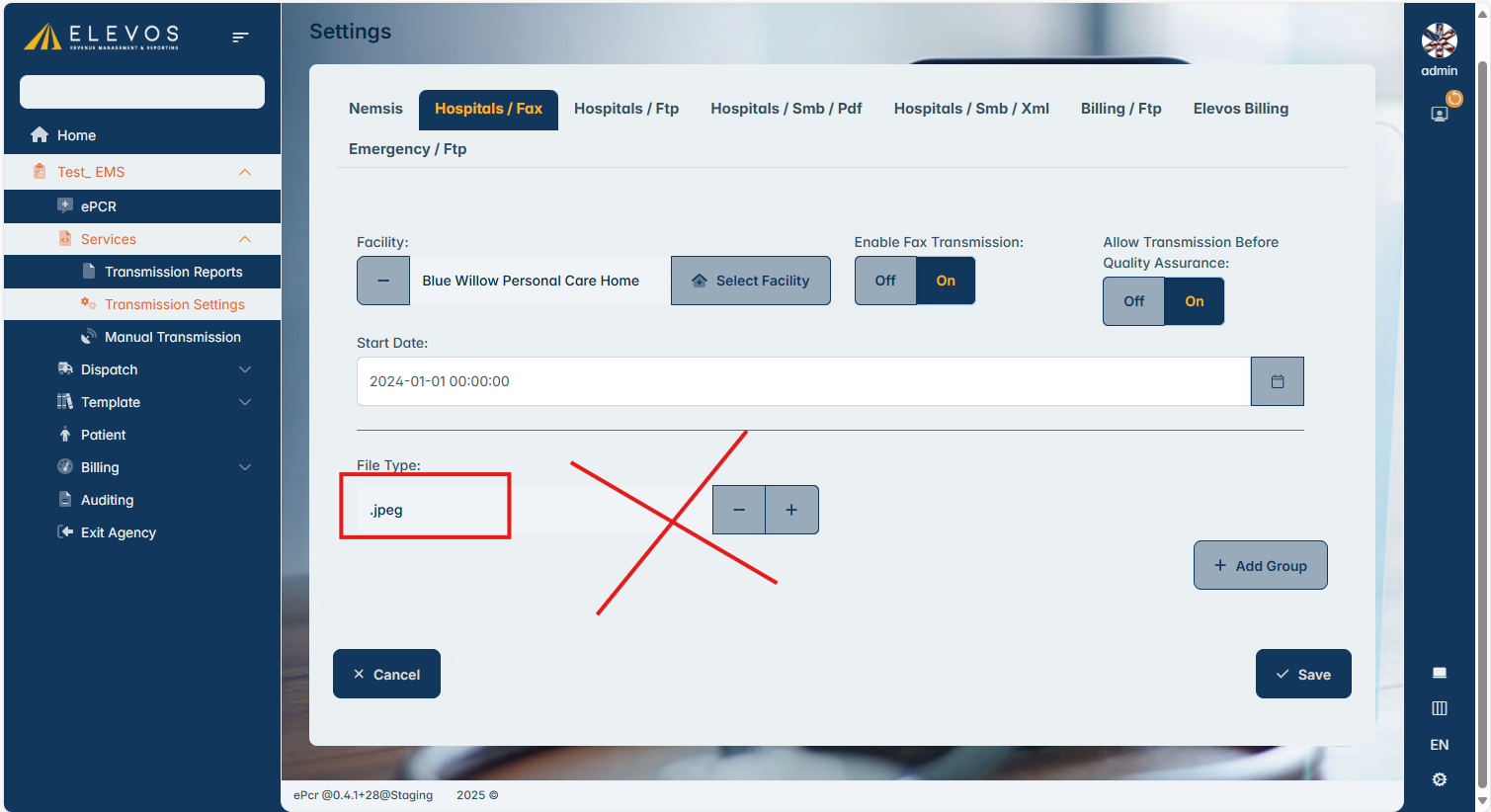
Here is an example of an extension that would allow you to send jpeg images with the trip report:
List of acceptable extensions:
📄 Document Formats
- PDF:
.pdf - PostScript:
.ps - Microsoft Word:
.doc,.dot,.docx,.dotx - Microsoft Works:
.wps - Rich Text Format:
.rtf - Plain Text:
.txt - Microsoft Excel:
.xls,.xlsx - Microsoft PowerPoint:
.ppt,.pptx - OpenOffice:
.odt,.ods - WordPerfect:
.wpd - Comma-Separated Values:
.csv - HTML:
.htm,.html - HP Printer Control Language:
.pcl
🖼️ Image Formats
- TIFF:
.tif,.tiff - JPEG:
.jpg,.jpeg - Bitmap:
.bmp - GIF:
.gif - PNG:
.png - WebP:
.webp
Related Articles
ePCRIV APP Guide
Electron App for Elevos ePCRIV System: A Guide to Creating Patient Care Reports The Electron app for the Elevos ePCRIV system is designed to streamline the creation of patient care reports. Here’s a step-by-step guide to ensure smooth operation: ...ePCRIV APP Guide
Electron App for Elevos ePCRIV System: A Guide to Creating Patient Care Reports The Electron app for the Elevos ePCRIV system is designed to streamline the creation of patient care reports. Here’s a step-by-step guide to ensure smooth operation: ...PCR Short Form (60 seconds form)
Introducing the ePCRIV Feature: Short Form The ePCRIV software has introduced a convenient new feature called “Short Form,” designed to expedite the patient care reporting process. This feature allows users to quickly create a concise Patient Care ...