How to Update Catalogs
It is useful to regularly download catalogs to have the most up to date facilities, patients, and other agency related items.
To download the latest catalogs make sure you have a stable connection. We recommend doing this in the office before or after going on a call.
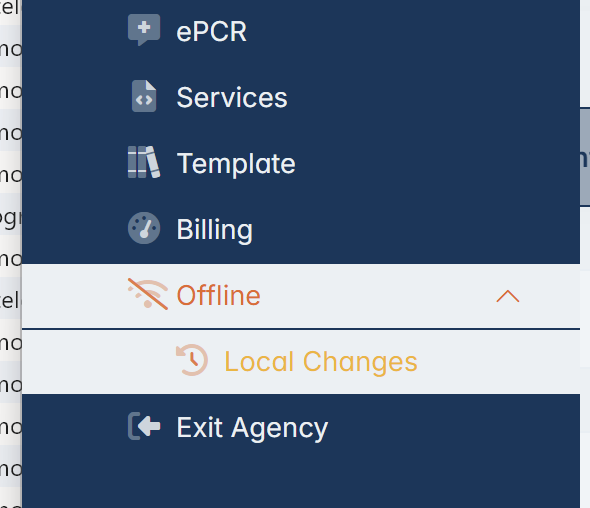
In the left menu, navigate to Offline -> Local Changes:
On the top right of the local changes page we can see the "Download Catalog" button:
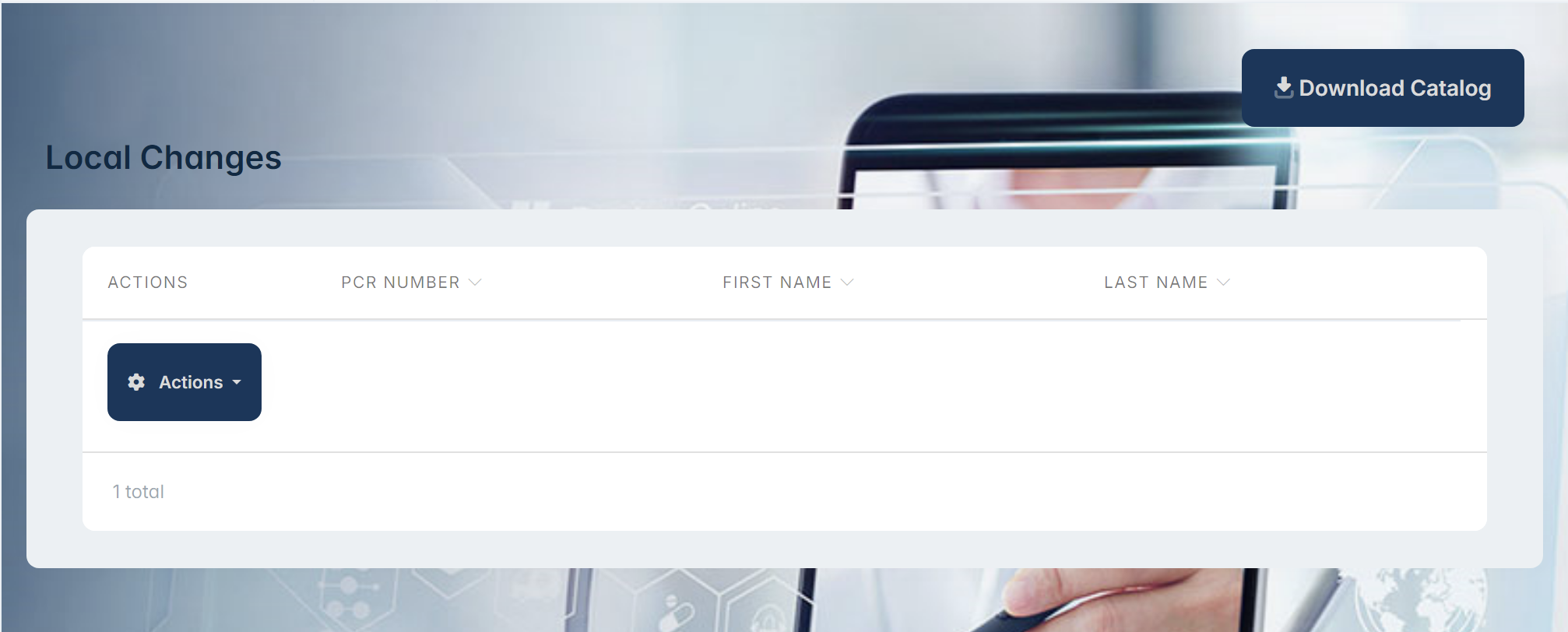
On the top right of the local changes page we can see the "Download Catalog" button:
Click this button to download the latest changes. The status of the download will be shown at the bottom of the page. It will take around 5 minutes to complete.
This will provide electron with the latest facilities, crew members, patients and other items when the application is offline.
Related Articles
Update Personnel / Crew Information
To update your personnel or crew information: Navigate to agency.epcriv.com Select Agency Setup on the left menu On your agency click on the action button and select Edit On the top menu select the Personnel tab On the personnel list search for the ...State of Georgia Validation Update for Possible Stoke Field
Georgia Updates Reporting Validations Affected Field: Possible Stroke Overall Field Path: Custom Elements Publication Date: May 1st The state of Georgia has implemented an update to the reporting validations, which includes the following new rules: ...Prestige Home Page Update
The changes made to the home page are designed to improve speed and prevent the system from erroring out. All the old buttons are available just in new locations. We also provided more shortcuts to the information you visit most often. This upgrade ..."Rejecting Invoices back to ePCRIV" for update and correction.
This article will outline how to reject invoices from the billing system to ePCRIV, whether due to errors that need to be rectified or for any other reason. Please follow the next steps: 1. On Prestige billing Start Page select "Invoices" option. 2. ...ePCRIV APP Guide
Electron App for Elevos ePCRIV System: A Guide to Creating Patient Care Reports The Electron app for the Elevos ePCRIV system is designed to streamline the creation of patient care reports. Here’s a step-by-step guide to ensure smooth operation: ...