Shared Files Feature
The Shared Files feature allows users to organize documents in one space. In Shared files, users will be able to upload, download, and delete files from their agency.
Shared Files is located on epcriv.com under the Billing dropdown in the left menu.
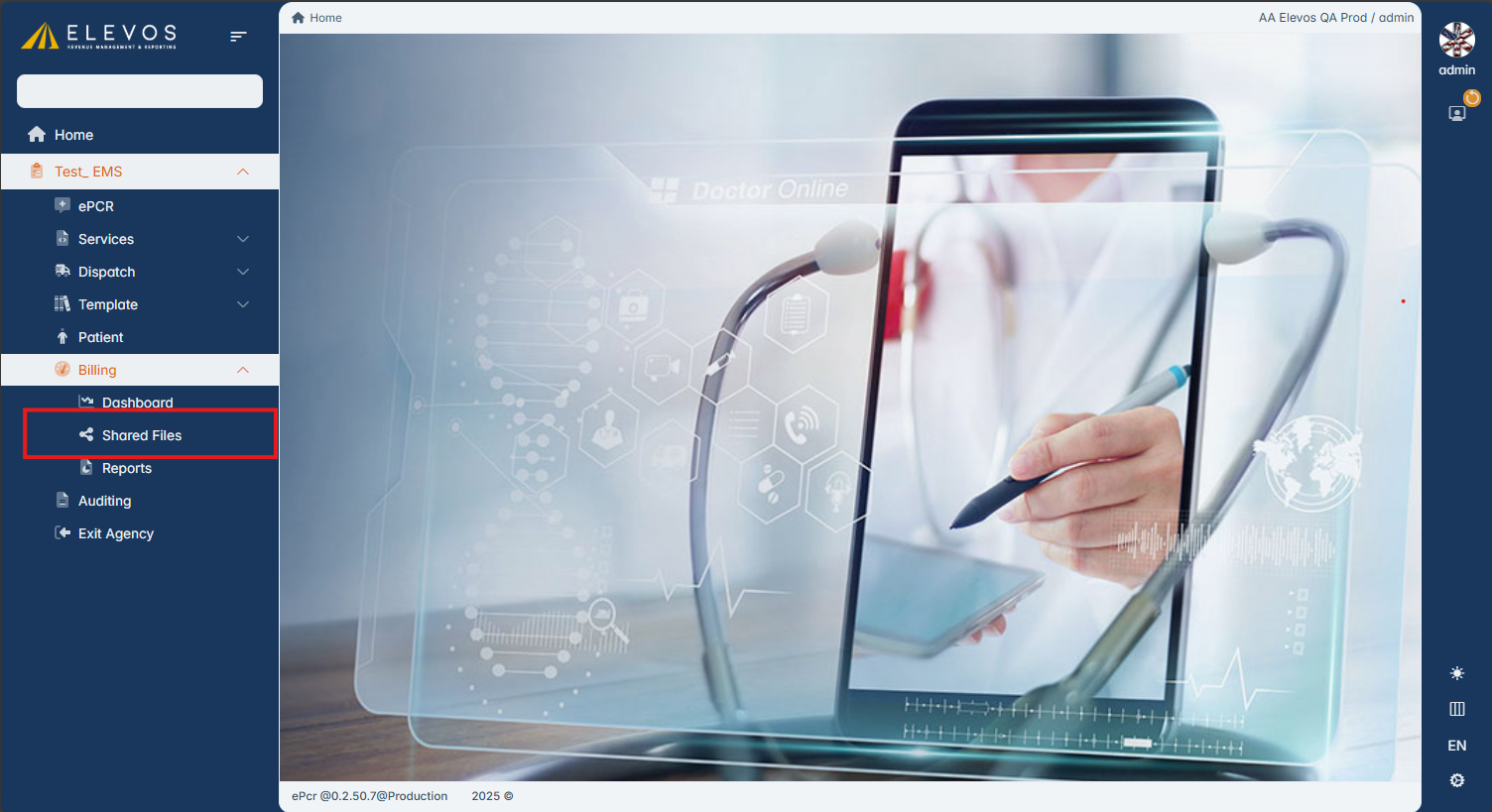
When accessing Shared Files users will be presented with the Shared Files page.
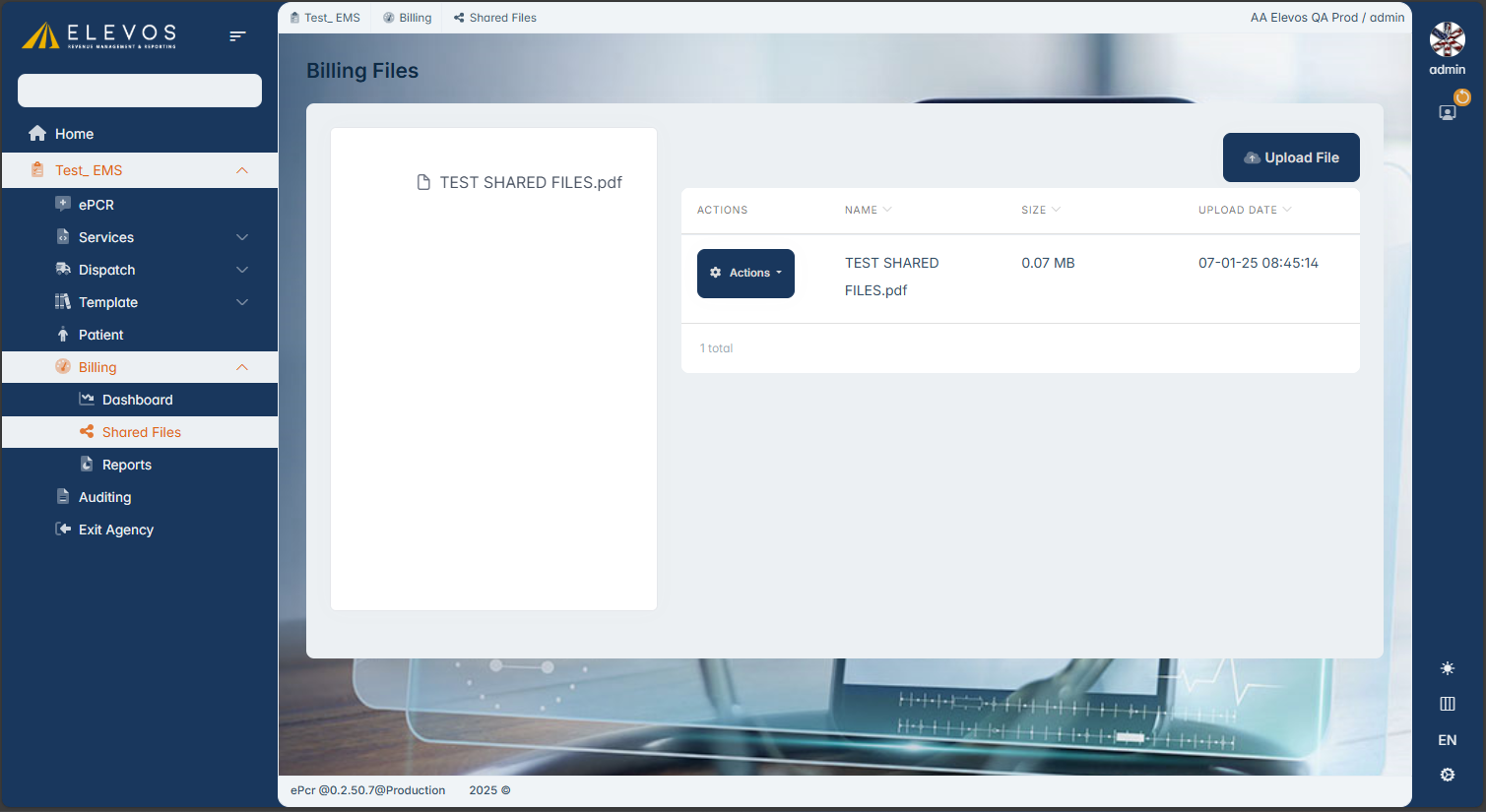
Here the user can choice to Upload a file by clicking on the "Upload File" button.
The user is then presented with the ability to choose the file to upload.
The user is then presented with the ability to choose the file to upload.
Once a file is chosen the user can click "Upload" to upload the file.
Files can also be downloaded and/or deleted in Shared Files.
To do this, the user must click on the "Actions" button next to the file they want to download or delete.
Related Articles
Billing Reports Feature
The Billing Reports feature allows users to access Billing Reports directly through epcriv instead of having to use ehradmin. The Billing Reports feature is located on epcriv.com under the Billing dropdown in the left menu. When accessing the Reports ...Time Auto Increment
Auto Increment Time Feature in ePCRIV Overview: The Auto Increment Time feature in the ePCRIV system by Elevos allows users to automatically increase time values across multiple fields based on a configured increment. This feature is particularly ...Round Trip
Introducing the ePCRIV Feature: Round Trip The ePCRIV software has recently introduced a powerful new feature called “Round Trip,” designed to streamline and enhance the efficiency of patient care reporting. This feature is a game-changer for ...Fax Attachment Guide
This guide will show you how to add different file extension in Fax transmission settings to be able to send different attachments with the Trip Report through fax. To begin, navigate to Services then Transmission Settings then Hospitals / Fax on the ...PCR Short Form (60 seconds form)
Introducing the ePCRIV Feature: Short Form The ePCRIV software has introduced a convenient new feature called “Short Form,” designed to expedite the patient care reporting process. This feature allows users to quickly create a concise Patient Care ...